What is polly..???
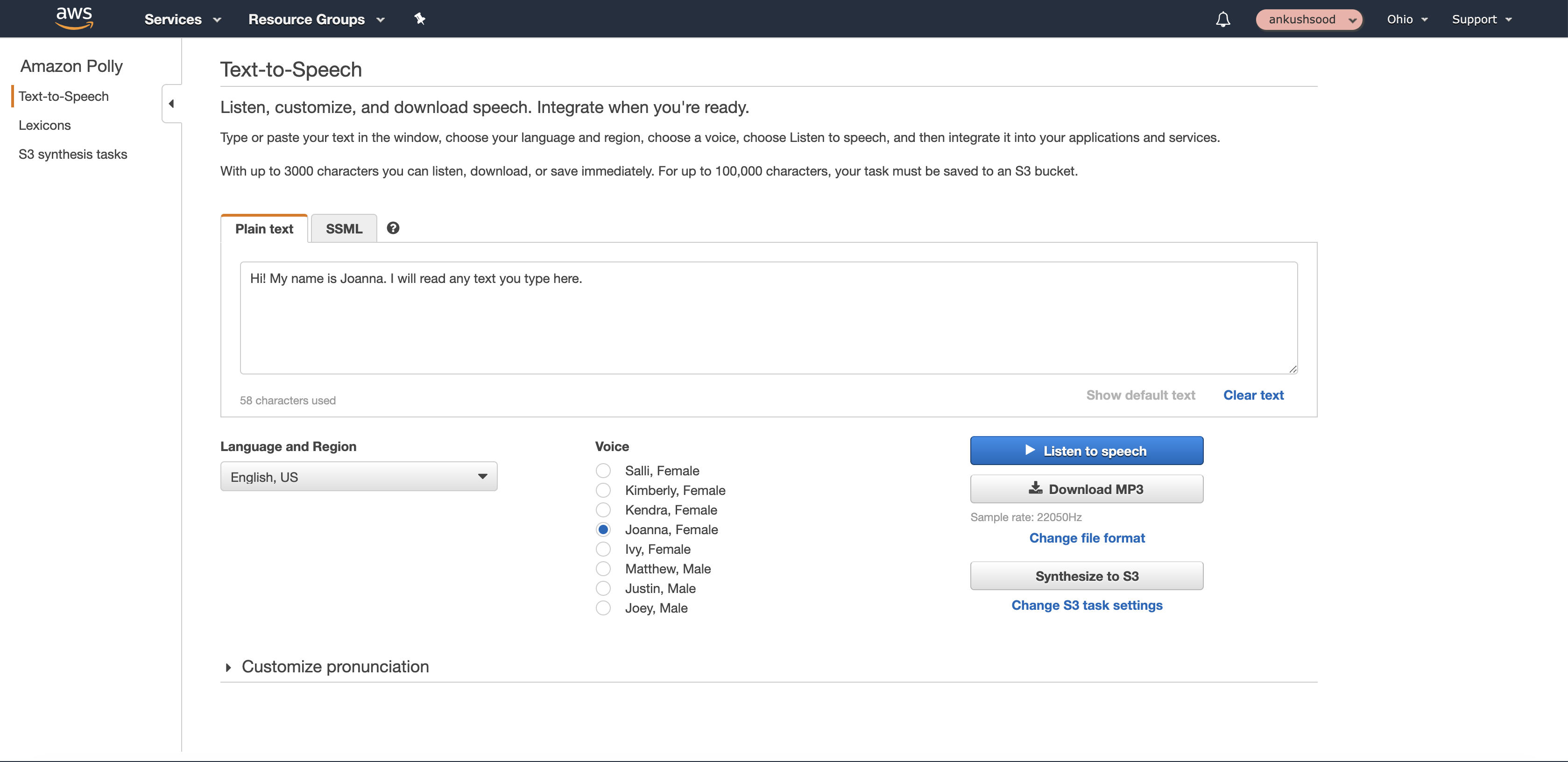
It is a service provided by Amazon which is used to convert text into lifelike speech. The user needs to provide the the text input and the amazon-polly converts the input text into speech.
How to implement and integrate with AEM
1.Adding AWS maven dependencies to project
There are many ways to use this service. We will be discussing those methods here one by one.
Amazon Polly documentation also provides code examples but those examples are not updated and are using SDK 1 though it is outdated.
If you are going to use SDK 1 and need to implement polly through SDK 1, then the dependencies that you need to include in the project POM will start from “com“.
for example :
<dependency><groupId>com.amazonaws</groupId><artifactId>aws-java-sdk-polly </artifactId><version>1.11.723</version></dependency>
If you are using SDK 2 then the dependencies that you need to include in your project’s POM will start from “software“.
for example :
<dependency><groupId>software.amazon.awssdk</groupId><artifactId>bom</artifactId><version>2.10.65</version><type>pom</type></dependency>
as you can see here, in dependency there is an artifactId with value “bom“. BOM stands for “Bill Of Materials” which is a special kind of POM that is used to control the versions of a project’s dependencies and provide a central place to define and update those versions. BOM provides the flexibility to add a dependency to our module without worrying about the version that we should depend on.
2.Creating a Service to covert text to speech
1. Creating an mp3 file through polly and storing it locally on device
After adding all the required dependencies, we will create the service which will take the input text and in return we will get a “.mp3” file which we will store locally on our device.
We will create a ‘Polly Object‘ and through ‘SynthesizeSpeechRequest‘ object we will create a ‘request object‘ and pass the text value as a ‘parameter‘ to convert it to mp3 file
Example code :
public class PollyServiceServlet extends SlingAllMethodsServlet {
private final PollyClient polly;

private static final String SAMPLE = "Congratulations. You have successfully built this working demo of Amazon Polly in Java.";

public PollyServiceServlet(Region region) {
    polly = PollyClient.create();

}

public InputStream synthesize(String text, OutputFormat format) throws IOException {
    final String readoutText;
    SynthesizeSpeechRequest synthReq = SynthesizeSpeechRequest.builder().voiceId(VoiceId.JOANNA).text(text).outputFormat(format).build();
    InputStream synthRes = polly.synthesizeSpeech(synthReq);
    return synthRes;
}

public static void main(String args[]) throws Exception {
    PollyServiceServlet pollyServiceServlet = new PollyServiceServlet(Region.US_EAST_2);
    InputStream speechStream = pollyServiceServlet.synthesize(SAMPLE, OutputFormat.MP3);
    FileOutputStream outstream = new FileOutputStream(new File("test.mp3"));
    IoUtils.copy(speechStream, outstream);
}
}
2. Creating an mp3 file through polly and storing it directly on Amazon S3 bucket, returning the URI of the file created
In the example below, connection was made to the polly and then using StartSpeechSynthesisTaskRequest‘ object which makes an asynchronous call so the task gets started and then in the do-while loop, check is being made for the task to get completed. Upon completion of task, it returns the status as COMPLETED and the URL of the file created.
Remember, we need to provide S3- bucket name, where the file will be stored. Here, i am passing the text in the AJAX call and reading it in the ‘readoutText‘ variable.
Example Code :
public class PollyServiceServlet {

    private static final Logger LOG = LoggerFactory.getLogger(PollyServiceServlet.class);

    final AmazonS3 s3 = AmazonS3ClientBuilder.defaultClient();
    private final PollyClient polly;
    String url = null;
    private final String bucketName = "henkel-laundry-polly";

    public PollyServiceServlet(Region region) {
        polly = PollyClient.create();
    }

    public static void main(String[] args) throws IOException {
        LOG.info("inside main method");
        // String readoutText = request.getParameter("readoutText");
        String text = "Hello! This is a sample text to test polly";
        PollyServiceServlet pollyServiceServlet = new PollyServiceServlet(Region.US_EAST_2);
        String speechStream = pollyServiceServlet.synthesize(text, OutputFormat.MP3);
        LOG.info("url of the resource created");
        // response.setContentType("text/plain");
        // objMapper.writeValue(response.getWriter(), url);
    }

    public String synthesize(String text, OutputFormat format) throws IOException {
        LOG.info("inside synthesize method");
        StartSpeechSynthesisTaskRequest synthesisTaskRequest = StartSpeechSynthesisTaskRequest.builder().voiceId(VoiceId.JOANNA)
                .outputS3BucketName(bucketName).text(text).outputFormat(format).build();
        LOG.info("voice id added ");
        StartSpeechSynthesisTaskResponse result = polly.startSpeechSynthesisTask(synthesisTaskRequest);
        String taskId = result.synthesisTask().taskId();
        LOG.info("request sent");
        boolean finished = false;
        LOG.info("request sent and finished assigned" + finished);
        do {
            LOG.info("inside do while");
            finished = getSynthesisTaskStatus(taskId).equals(TaskStatus.COMPLETED.toString());
        } while (!finished);
        LOG.info("finished");
        url = AmazonS3ClientBuilder.defaultClient().getUrl(bucketName, taskId).toString();
        LOG.info(url + "url of the resource created");
        return url;
    }

    public String getSynthesisTaskStatus(String taskId) {
        GetSpeechSynthesisTaskRequest getSpeechSynthesisTaskRequest = GetSpeechSynthesisTaskRequest.builder().taskId(taskId).build();
        GetSpeechSynthesisTaskResponse getSpeechSynthesisTaskResponse = polly.getSpeechSynthesisTask(getSpeechSynthesisTaskRequest);
        return getSpeechSynthesisTaskResponse.synthesisTask().taskStatus().toString();
    }

}
There are other things we can play with in polly like providing the VoiceID as a parameter entered by user etc……Thanks for reading…..
 AEM-Lessons